Drawing tablet shortcut remotes
Logitech MX Creative Console Graphite Drawing Shortcut Controller
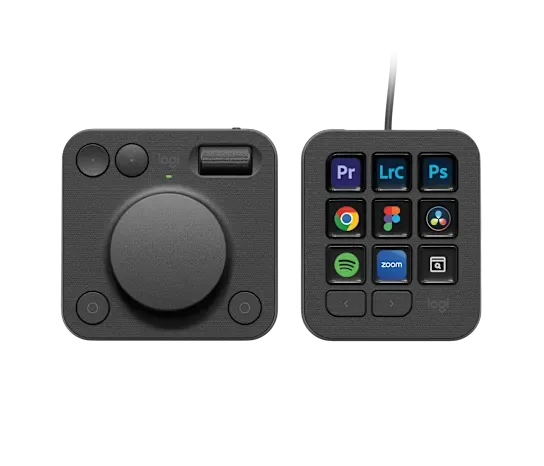
The details
Specifications
Core specifications2
| Connection | Bluetooth (Host interface: Dialpad connects by Bluetooth; keypad connects by USB-C.)5 |
|---|---|
| Programmable keys | 9 keys (Configuration: Nine programmable LCD keys on keypad only; paging buttons and dialpad controls are separate, not added.)1 |
Fit and compatibility1
| Supported hosts | Windows 10 and later (Host: macOS 13 or later is also supported. Windows ARM64 computers are unsupported.)3 |
|---|
More specifications6
| Driver requirements | Logi Options+ (Configuration: Logi Options+ for full functionality; limited basic system actions can work without the app.)3 |
|---|---|
| Control display | LCD display keys2 |
| Dial controls | aluminum low-friction dial (Configuration: The dialpad also has a smooth roller.)2 |
| Direct Bluetooth | Yes (Configuration: Dialpad only.)5 |
| Included accessories | 2x AAA batteries (Configuration: Standard kit includes the keypad, dialpad, stand and USB-C cable.)5 |
| Advanced macros | Yes (Configuration: Requires Logi Options+ and the Smart Actions plugin.)4 |