Product image unavailableHuion Kamvas 12
Pen displays
Huion Kamvas Pro 13 (2.5K)
Why choose it
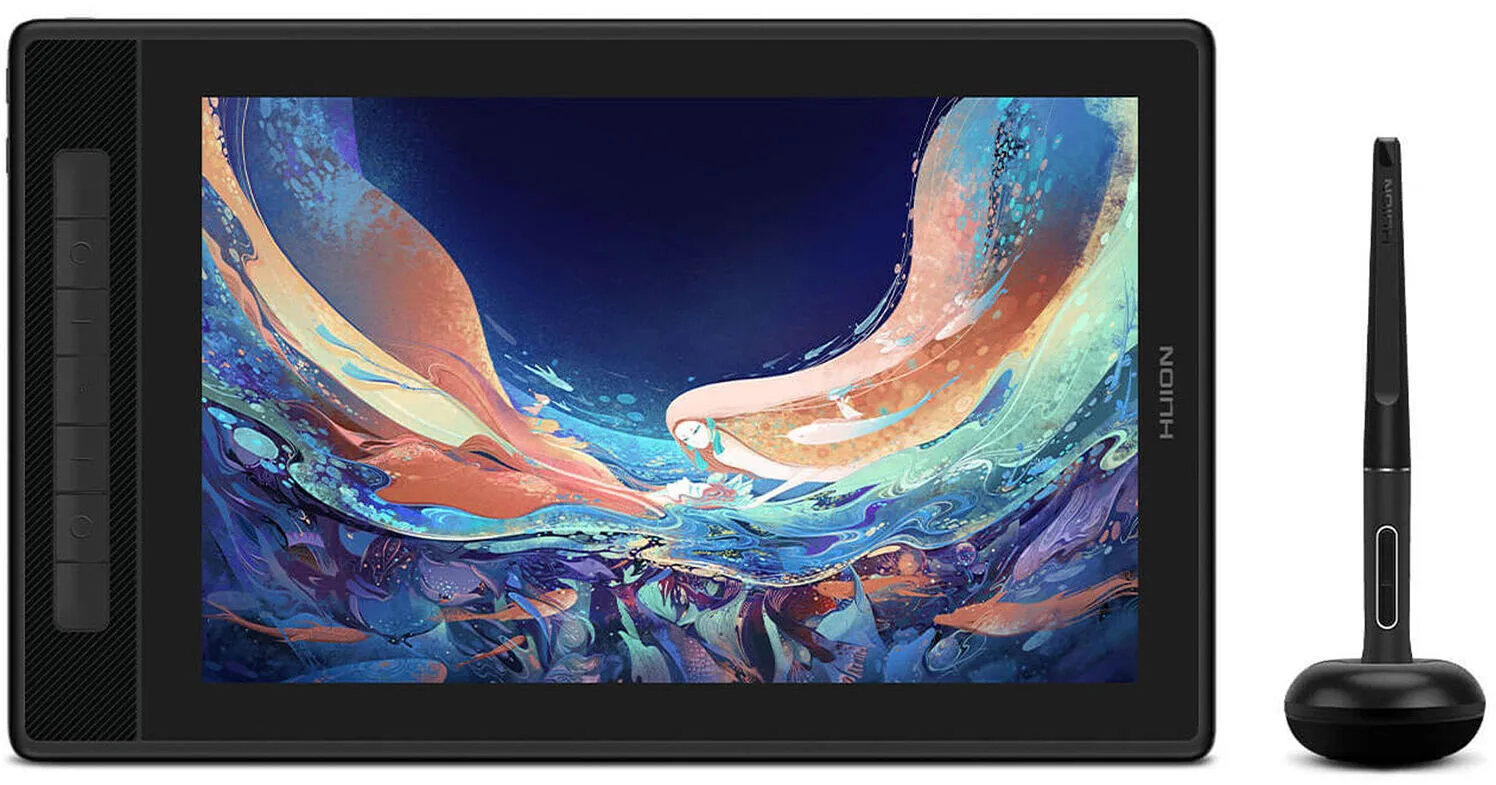
The Kamvas Pro 13 (2.5K) combines a compact 13.3-inch screen, seven shortcut keys and an included stand, so you can set up a small drawing desk without buying a stand separately.12
Before you buy
The Kamvas Pro 13 (2.5K) has no touch input, so it will not suit a workflow built around finger gestures.2
The details
Specifications
Core specifications7
| Screen size | 13.3 in1 |
|---|---|
| Pressure sensitivity | 8,1921 |
| Panel type | Ips1 |
| Touch input | No2 |
| Brightness | 220 nits2 |
| Shortcut keys | 71 |
| Laminated screen | Yes1 |
Specifications not documented (9)
Adobe RGB coverage, Horizontal resolution, Refresh rate, sRGB coverage, Active area width, Active area height, HDMI input, Calman Verified, Android device support.
Compare the tradeoffs
Alternatives
- Huion Kamvas Pro 27 (144Hz)
- Huion Kamvas Pro 24 (Gen 3)
- Huion Kamvas Pro 19
- Huion Kamvas Pro 27
- Huion Kamvas 22 (Gen 3)
- Huion Kamvas 24 Plus
- Huion Kamvas 22 Plus
- XPPen Artist Ultra 14
- XPPen Artist Pro 27 (Gen 2)
- XPPen Artist Pro 22 (Gen 2)
- XPPen Artist 15.6 Pro V2
- XPPen Artist 13.3 Pro V2
- XPPen Artist Pro 24 (Gen 2) 4K
- XPPen Artist Pro 24 (Gen 2) 165Hz
- XPPen Artist Pro 19 (Gen 2)
- XPPen Artist Pro 16 (Gen 2)
- XPPen Artist Pro 14 (Gen 2)
- XPPen Artist 12 3rd
- XPPen Artist 22 Plus
- XPPen Artist 13 (2nd Gen)
- XPPen Artist 16 (2nd Gen)
- Wacom One 14
- Wacom Movink
- Wacom Cintiq Pro 27
- Wacom Cintiq Pro 22
- Wacom Cintiq Pro 17
- Xencelabs Pen Display 16
- Xencelabs Pen Display 24+
- Wacom One 13 Touch
- Ugee 16
- Wacom Cintiq 24 Touch